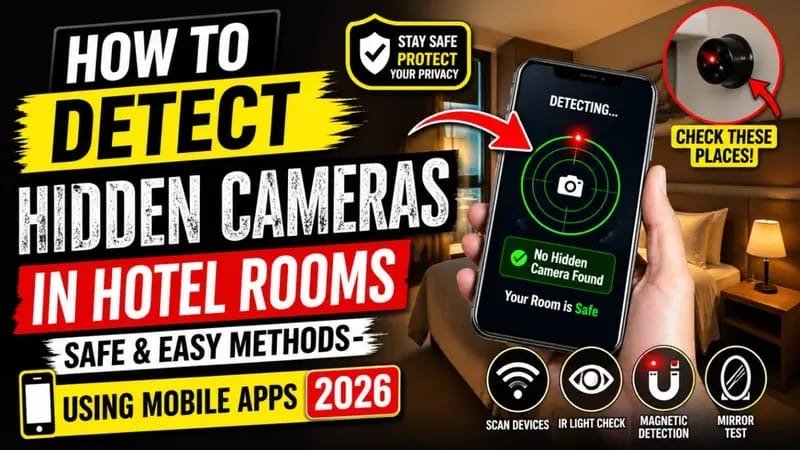
How to Detect Hidden Cameras in Hotel Rooms: Safe and Easy Methods Using Mobile Apps in 2026
Privacy concerns among travelers are rising rapidly in 2026 as hidden surveillance devices become smaller, cheaper, and easier to conceal. From luxury hotels to budget accommodations and vacation rentals, guests are increasingly searching for ways to protect their privacy while traveling.
Learning how to detect hidden cameras in hotel rooms has become an essential travel safety skill. Fortunately, modern smartphones and mobile apps now make the process easier than ever.
This guide explains the safest and most effective methods to find hidden cameras using mobile technology, manual inspection techniques, and professional privacy tips.
Why Hidden Camera Detection Matters in 2026
Miniature spy cameras are now widely available online at low prices. Some devices are disguised as:
- Smoke detectors
- Wall clocks
- USB chargers
- Alarm clocks
- Wi-Fi routers
- Light bulbs
- TV boxes
According to cybersecurity experts, hidden surveillance complaints in hotels and rental properties have increased significantly over the last few years. Travelers are becoming more aware of digital privacy threats and are actively looking for reliable detection methods.
The good news is that most hidden cameras can be identified with simple tools already available on your smartphone.
Common Places Hidden Cameras Are Found
Before checking a hotel room, travelers should know where hidden devices are typically placed.
Areas to Inspect Carefully
- Near the bed
- Facing mirrors
- Bathroom shelves
- Air purifiers
- Smoke detectors
- Power adapters
- Decorative items
- Television units
- Wi-Fi routers
Experts recommend starting with objects that have a direct line of sight toward private areas.
How to Detect Hidden Cameras in Hotel Rooms Using Your Smartphone
Modern smartphones include sensors and features that can help identify suspicious electronic devices.
1. Use Your Phone Camera to Detect Infrared Lights
Many hidden cameras use infrared (IR) night vision technology. While human eyes cannot see infrared light, smartphone cameras often can.
Steps:
- Turn off the room lights.
- Open your smartphone camera.
- Slowly scan the room.
- Look for blinking white, purple, or blue lights on the screen.
Front-facing cameras on some phones are especially effective for IR detection.
This remains one of the easiest methods for travelers in 2026.
Best Mobile Apps for Hidden Camera Detection
Several privacy-focused apps are now designed specifically for detecting surveillance devices.
Popular Hidden Camera Detector Apps in 2026
Hidden Camera Detector
This app scans magnetic fields and identifies unusual electronic signals near suspicious objects.
Fing Network Scanner
Useful for checking devices connected to the hotel Wi-Fi network. Unknown devices may indicate hidden surveillance equipment.
Glint Finder
Helps identify reflective camera lenses by using flashlight reflection technology.
Features to Look for in Detection Apps
When choosing a hidden camera detector app, look for:
- Magnetic field scanning
- Infrared detection
- Network device scanning
- Lens reflection tools
- Real-time alerts
- Easy user interface
Free apps are available, but premium versions usually provide more accurate scanning features.
Manual Methods to Detect Hidden Cameras
Mobile apps are helpful, but combining them with physical inspection gives better results.
Check Mirrors Carefully
A two-way mirror may hide a camera behind the glass.
Quick Mirror Test
Place your fingertip against the mirror:
- If there is a gap between your finger and reflection, it is likely a normal mirror.
- If there is no gap, inspect further.
Look for Tiny Holes or Unusual Objects
Hidden cameras need a visible lens opening.
Watch for:
- Tiny black dots
- Unusual wires
- Small blinking LEDs
- Oddly placed electronics
If something appears suspicious or out of place, unplug or cover it if possible.
Use Flashlight Reflection Technique
This method is highly effective at night.
How It Works
- Turn off all lights.
- Use your phone flashlight.
- Slowly scan objects around the room.
- Look for reflective glass surfaces.
Camera lenses often produce a distinct reflection compared to ordinary objects.
Detect Hidden Cameras Through Wi-Fi Networks
Smart surveillance cameras usually connect to wireless networks.
Network Detection Steps
- Connect to the hotel Wi-Fi.
- Open a network scanning app.
- Check connected device names.
- Identify unknown cameras or suspicious devices.
Some hidden cameras may appear with names like:
- IP Camera
- HD Camera
- Smart Device
- Wi-Fi Cam
However, not every unknown device is malicious, so travelers should remain cautious but calm.
Important Hotel Safety Tips for Travelers
Protecting privacy requires awareness and good travel habits.
Smart Privacy Tips
- Book accommodations with trusted reviews.
- Read recent guest feedback carefully.
- Avoid changing clothes directly in front of mirrors.
- Cover suspicious devices temporarily.
- Disconnect unnecessary electronics.
- Report suspicious findings immediately.
If you discover a hidden camera, contact hotel management and local authorities right away.
Are Hidden Camera Detector Apps Reliable?
Detection apps can help, but no app is perfect.
What Works Best in 2026
The most effective approach combines:
- Smartphone camera scanning
- Infrared detection
- Manual inspection
- Wi-Fi analysis
- Flashlight reflection checks
Using multiple methods greatly improves accuracy.
The Future of Personal Privacy While Traveling
As surveillance technology evolves, privacy awareness is becoming part of modern travel culture. Travelers today are more informed about digital safety, cybersecurity, and personal protection.
Hotels are also increasing privacy standards to maintain customer trust. Many hospitality brands now perform regular room inspections to prevent illegal surveillance devices.
Still, travelers should remain proactive and informed.
Conclusion
Understanding how to detect hidden cameras in hotel rooms is no longer just a niche concern — it is an important travel safety practice in 2026.
Fortunately, modern smartphones and mobile apps provide powerful tools for protecting personal privacy. By combining app-based detection, manual room inspection, and smart travel habits, guests can significantly reduce privacy risks during hotel stays.
A few minutes of checking your room can provide peace of mind and help ensure a safer travel experience.
6. FAQs
How can I detect hidden cameras with my phone?
You can use your smartphone camera to detect infrared lights, install hidden camera detector apps, and scan Wi-Fi networks for suspicious devices.
Are hidden camera detector apps accurate?
Many apps are helpful for identifying magnetic signals and connected devices, but combining multiple detection methods provides the best results.
Can hidden cameras work without Wi-Fi?
Yes. Some hidden cameras store footage locally on memory cards and do not require internet access.
What should I do if I find a hidden camera in a hotel room?
Immediately document the evidence, avoid touching the device unnecessarily, contact hotel management, and report the incident to local authorities.
Can iPhone and Android phones detect hidden cameras?
Yes. Both Android and iPhone devices can detect infrared light and use specialized apps for surveillance detection.
andriod download
iphone download
7. SEO Tags
- How to Detect Hidden Cameras in Hotel Rooms
- Hidden Camera Detector Apps 2026
- Hotel Room Privacy Tips
- Detect Spy Cameras with Phone
- Hidden Camera Detection Methods
- Travel Safety Tips 2026
- Smartphone Hidden Camera Scanner
- Infrared Camera Detection
- Hotel Security Guide
- Privacy Protection for Travelers